
Free tool
Free piano sight-reading generator
A new exercise every click: choose a level from 1 to 8, the hands, key and time signature, then play it straight from the screen or print it as a PDF. Free, no account needed.
- Free
- No account
- Printable PDF
- 8 levels · both hands
Level 1: Five-finger position, whole to quarter notes, C/G/F major and A minor
Clap the rhythm first, then play slowly without stopping.
Tip: choose “Save as PDF” in the print dialog to download it as a PDF.
Practise with instant feedback →How to use the generator
Pick a level and the hands you want to practise; key and time signature can be fixed or random. Every click on “New exercise” writes a fresh piece, so you never memorise the answer — which is the whole point of sight-reading practice. Each piece is built like music: in phrases, over one harmony per bar, with a half cadence and a final cadence.
- Levels 1–2: five-finger melodies, then a wider range, eighth-note pairs and minor keys — ideal for beginners, around Grade 1–2.
- Levels 3–5: dotted rhythms, rests, 6/8, sixteenths and octave leaps; with “Both hands” the left hand plays the harmony — around Grade 3–5.
- Levels 6–8: syncopation, chromatic notes, 9/8 and 5/4, keys up to five sharps or flats and broken chords in the left hand — simpler than real Grade 6–8 tests, but a good daily warm-up.
- Every exercise ends on the key note, so you can hear whether you landed home.
How to practise a sight-reading exercise
Use the same routine every time — it’s what exam candidates and good sight-readers do:
- 30 seconds to scan: key signature, time signature, highest and lowest note, any patterns.
- Clap or tap the rhythm once while counting out loud.
- Find your starting hand position before you play the first note.
- Play slowly and keep going — a steady pulse matters more than every note.
- Then click “New exercise”. Don’t repeat the same one until it’s perfect; that turns it into memorising.
Want to know if you played it right?
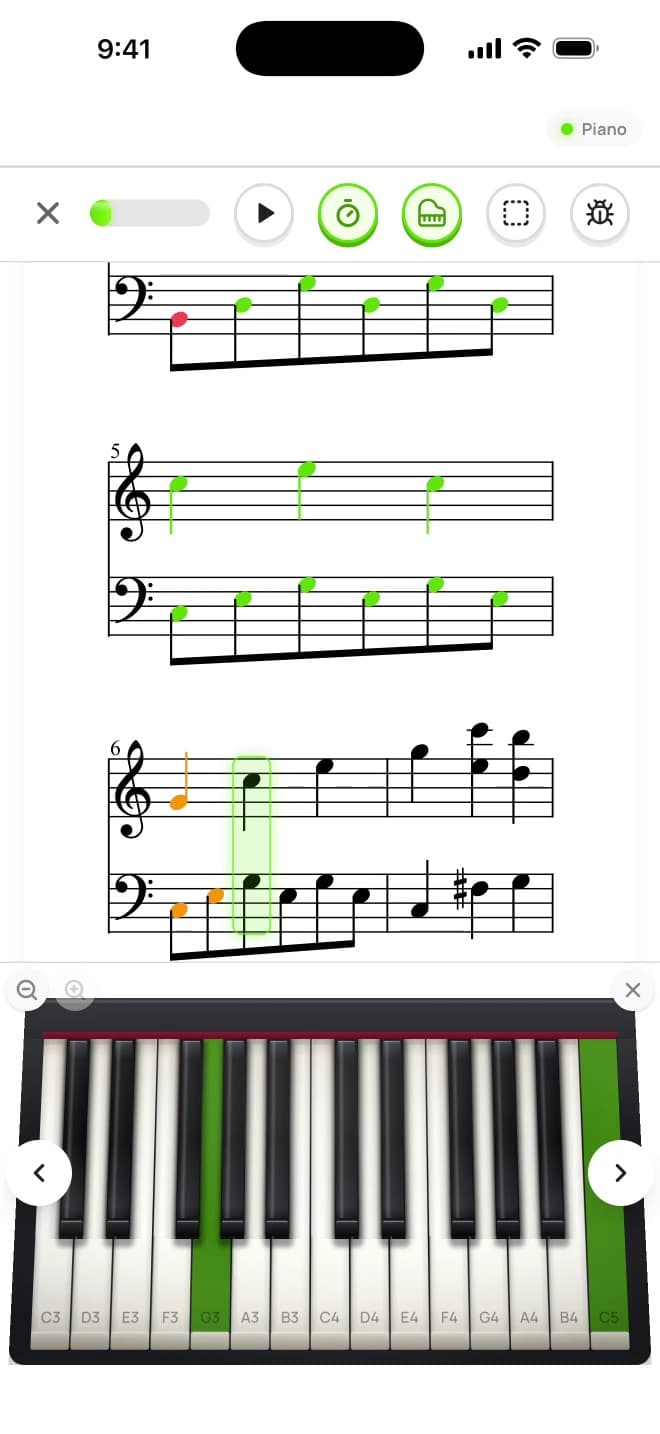
A printed sheet can’t tell you which note was wrong. In Notimo you play on a MIDI keyboard or the on-screen piano and see every note turn green or red in real time — with timing feedback and a weak-note trainer that brings back the notes you still confuse.
Frequently asked questions
Is the sight-reading generator really free?
Yes. You can generate, print and save as many exercises as you like — no account, no trial. The full Notimo app is free to start, too.
How do I save an exercise as a PDF?
Click “Print / save as PDF” and choose “Save as PDF” as the printer. Only the sheet is printed, with space for your name and date.
Which level should I start with?
Start one level below what you can play from memory. Sight-reading should feel slightly easy — if you have to stop often, choose an easier setting.
Is this the same as ABRSM sight-reading tests?
The exercises are generated, not taken from exam books, but they follow the same building blocks: limited range at first, then more keys, rhythms, leaps and both hands. The upper levels are simpler than real Grade 6–8 tests (no ornaments or pedalling). For exam-style practice see our ABRSM sight-reading page.
Get feedback on every note
Play the exercise on your keyboard or screen and see what you got right — free, in your browser.